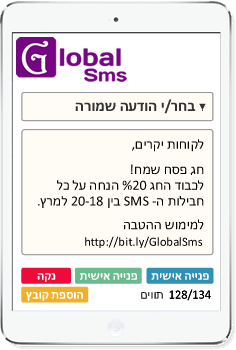
An empty slot in the calendar costs money. An SMS reminder sent at the right time is one of the simplest and cheapest ways to reduce no-shows, because a text lands on the lock screen and is almost always read within minutes – unlike an email that gets buried.
At a glance
- How many reminders
- A confirmation when the appointment is booked, a reminder 1–2 days before, and a short one 1–2 hours before.
- What to include
- Business name, exact date and time, service or staff member, and an easy way to cancel or reschedule.
- How to automate
- Google Calendar, Zapier, Make, n8n, or the SMS API from your booking system.
- Two-way
- Let customers reply "confirm" or "cancel" from a virtual number.
Who benefits most
Any business that works by appointment: clinics, dentists, salons and beauty studios, gyms and studios, garages, consultants and service providers. The higher the cost of an empty slot – a clinic appointment that cannot be filled at the last minute, or a fixed class – the faster automated reminders pay for themselves.
When to send
- Right after booking: a confirmation with the date, time and address. The customer has a record, and a wrong time is caught now, not on the day.
- One or two days before: gives the customer time to reschedule, so you can offer the slot to someone else.
- One or two hours before: a short practical reminder.
In Israel, avoid late-night and very early sends, and plan around Shabbat (Friday afternoon to Saturday evening) and Jewish holidays: a reminder for a Sunday appointment is usually best sent on Thursday or Saturday night.
What to write
- Business name – so the customer knows at once who it is from.
- Exact date and time – not "your appointment is coming up".
- Service or staff member – when you offer several.
- A simple way to cancel or reschedule – a link or a phone number.
The last sentence of the first template matters: when customers understand that cancelling early helps others, more of them cancel instead of simply not showing up. Use the first name only if your data is clean – "Hi ," looks worse than no name. More examples are in the SMS templates library.
How to automate reminders
Sending reminders by hand works for five appointments a day, not for fifty. Connect sending to your calendar or booking system:
- Google Calendar: send reminders to people with an appointment in your calendar.
- Zapier, Make or n8n: each new booking creates a confirmation and scheduled reminders. See SMS integrations.
- Booking system or CRM: call the SMS API and schedule the reminders for the right time.
- From a list: upload tomorrow's appointments from Excel and send a personalized message to each customer, with their own name and time.
Two-way reminders: confirm or cancel by reply
A reminder that customers can answer with a simple word or number turns cancelling into a two-second action instead of a phone call, which cuts silent no-shows. Send from a virtual number: replies arrive in your account, can be forwarded to your system, and can be answered from Global Desk by SMS or WhatsApp.
How to know it works
Count no-shows in the month before you start and the month after. Track early cancellations too: a rise in cancellations is a good sign, because a slot cancelled in advance can be filled.
Frequently asked questions
How many reminders should I send before an appointment?
Usually two: one a day or two before, which leaves time to reschedule, and a short one an hour or two before. Also send a confirmation as soon as the appointment is booked.
What should an appointment reminder SMS say?
The business name, the exact date and time, the service or staff member when relevant, and a simple way to cancel or reschedule, such as a link or a phone number.
How do I send automatic appointment reminders?
Connect your calendar or booking system to an SMS service through Zapier, Make or n8n, or directly through an SMS API, so every new booking creates a confirmation and scheduled reminders.
Can customers confirm or cancel by replying?
Yes. Send the reminder from a virtual number and ask customers to reply with a word or a number. Replies arrive in your account and can be forwarded to your system.
When should I avoid sending reminders in Israel?
Avoid late night and early morning, and plan around Shabbat and Jewish holidays. For Sunday appointments, send the day-before reminder on Thursday or Saturday night.
Related pages
Last updated: November 3, 2026 · Global SMS Ltd., Haifa, Israel